
CLI reference
Every vinos-* command's --help output, straight from the shipped scripts. Grouped by family.
Every command below prints the same text you’ll get with --help on a
booted vinOS. The source of truth is each script’s top comment plus
its argument parser; this page is generated from those.
Founder
vinos-standup
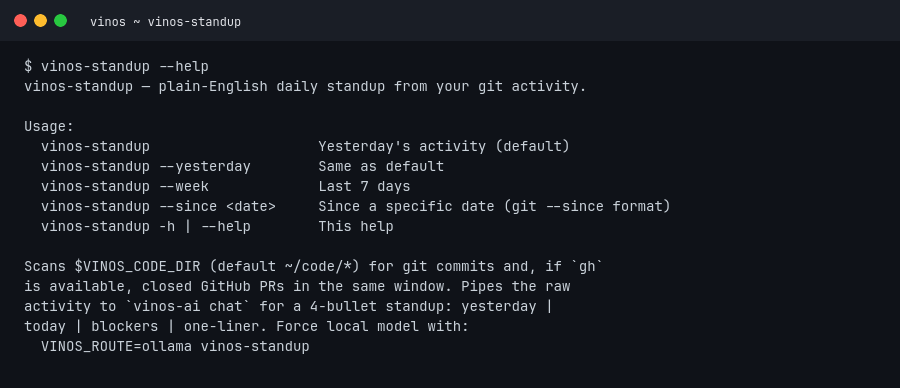
vinos-standup — plain-English daily standup from your git activity.

Usage:
  vinos-standup                    Yesterday's activity (default)
  vinos-standup --yesterday        Same as default
  vinos-standup --week             Last 7 days
  vinos-standup --since <date>     Since a specific date (git --since format)
  vinos-standup -h | --help        This help

Scans $VINOS_CODE_DIR (default ~/code/*) for git commits and, if `gh`
is available, closed GitHub PRs in the same window. Pipes the raw
activity to `vinos-ai chat` for a 4-bullet standup: yesterday |
today | blockers | one-liner. Force local model with:
  VINOS_ROUTE=ollama vinos-standup
vinos-commit
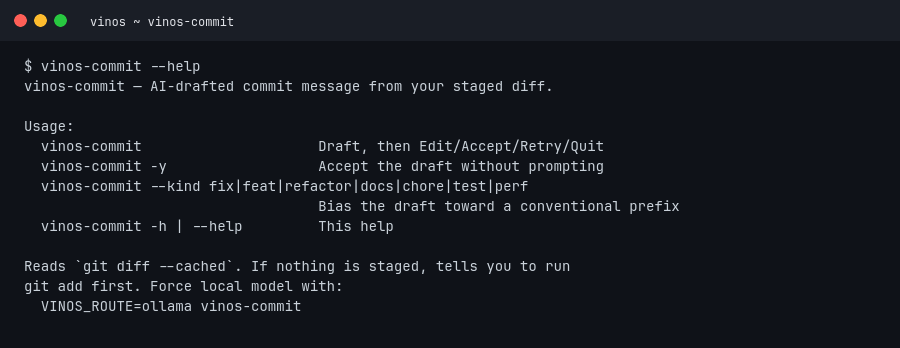
vinos-commit — AI-drafted commit message from your staged diff.

Usage:
  vinos-commit                     Draft, then Edit/Accept/Retry/Quit
  vinos-commit -y                  Accept the draft without prompting
  vinos-commit --kind fix|feat|refactor|docs|chore|test|perf
                                   Bias the draft toward a conventional prefix
  vinos-commit -h | --help         This help

Reads `git diff --cached`. If nothing is staged, tells you to run
git add first. Force local model with:
  VINOS_ROUTE=ollama vinos-commit
vinos-focus
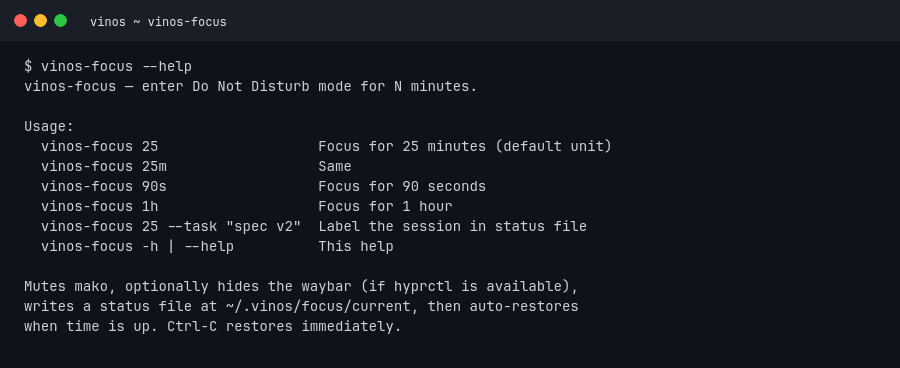
vinos-focus — enter Do Not Disturb mode for N minutes.

Usage:
  vinos-focus 25                   Focus for 25 minutes (default unit)
  vinos-focus 25m                  Same
  vinos-focus 90s                  Focus for 90 seconds
  vinos-focus 1h                   Focus for 1 hour
  vinos-focus 25 --task "spec v2"  Label the session in status file
  vinos-focus -h | --help          This help

Mutes mako, optionally hides the waybar (if hyprctl is available),
writes a status file at ~/.vinos/focus/current, then auto-restores
when time is up. Ctrl-C restores immediately.
vinos-brief
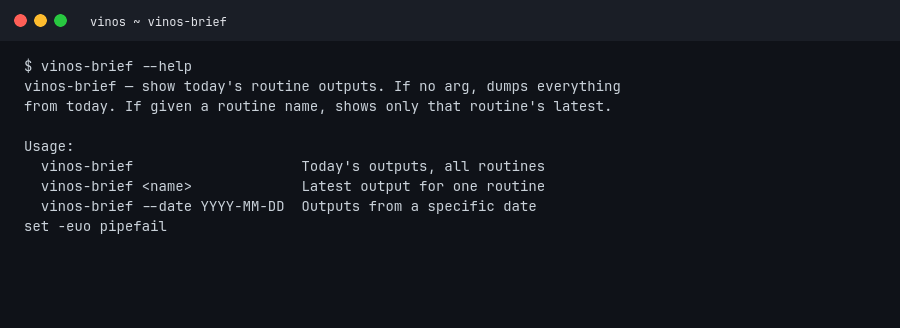
vinos-brief — show today's routine outputs. If no arg, dumps everything
from today. If given a routine name, shows only that routine's latest.

Usage:
  vinos-brief                    Today's outputs, all routines
  vinos-brief <name>             Latest output for one routine
  vinos-brief --date YYYY-MM-DD  Outputs from a specific date
Agents
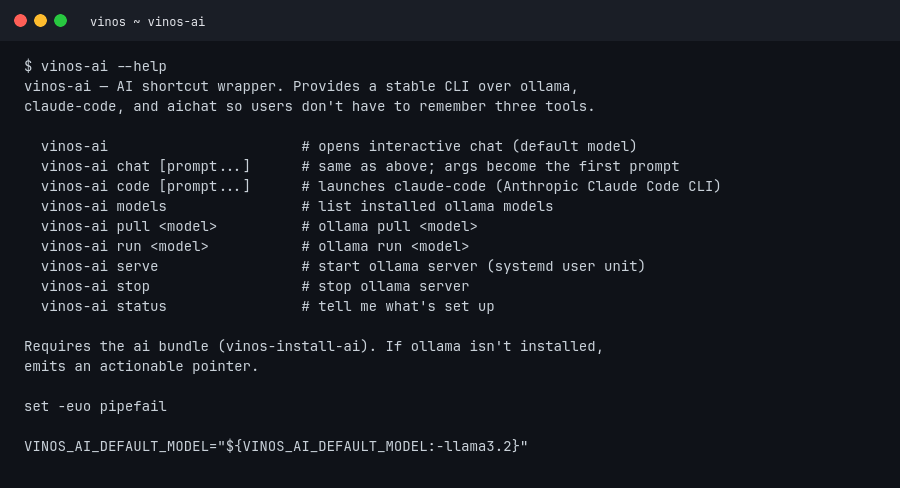
vinos-ai
vinos-ai — AI shortcut wrapper. Provides a stable CLI over ollama,
claude-code, and aichat so users don't have to remember three tools.

  vinos-ai                       # opens interactive chat (default model)
  vinos-ai chat [prompt...]      # same as above; args become the first prompt
  vinos-ai code [prompt...]      # launches claude-code (Anthropic Claude Code CLI)
  vinos-ai models                # list installed ollama models
  vinos-ai pull <model>          # ollama pull <model>
  vinos-ai run <model>           # ollama run <model>
  vinos-ai serve                 # start ollama server (systemd user unit)
  vinos-ai stop                  # stop ollama server
  vinos-ai status                # tell me what's set up

Requires the ai bundle (vinos-install-ai). If ollama isn't installed,
emits an actionable pointer.
vinos-fix
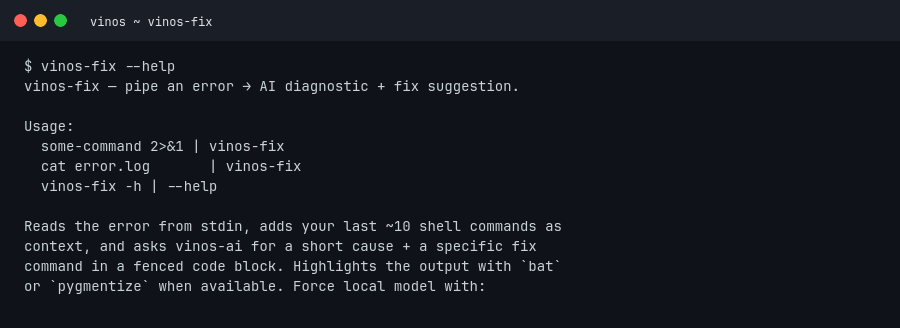
vinos-fix — pipe an error → AI diagnostic + fix suggestion.

Usage:
  some-command 2>&1 | vinos-fix
  cat error.log       | vinos-fix
  vinos-fix -h | --help

Reads the error from stdin, adds your last ~10 shell commands as
context, and asks vinos-ai for a short cause + a specific fix
command in a fenced code block. Highlights the output with `bat`
or `pygmentize` when available.
vinos-explain
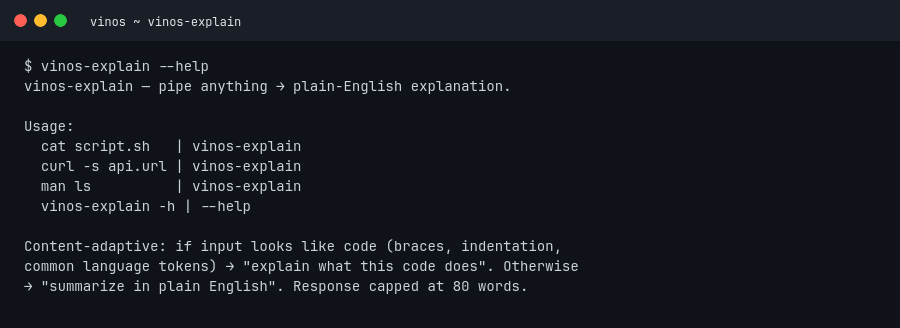
vinos-explain — pipe anything → plain-English explanation.

Usage:
  cat script.sh   | vinos-explain
  curl -s api.url | vinos-explain
  man ls          | vinos-explain
  vinos-explain -h | --help

Content-adaptive: if input looks like code (braces, indentation,
common language tokens) → "explain what this code does". Otherwise
→ "summarize in plain English". Response capped at 80 words.
Routines
vinos-routine
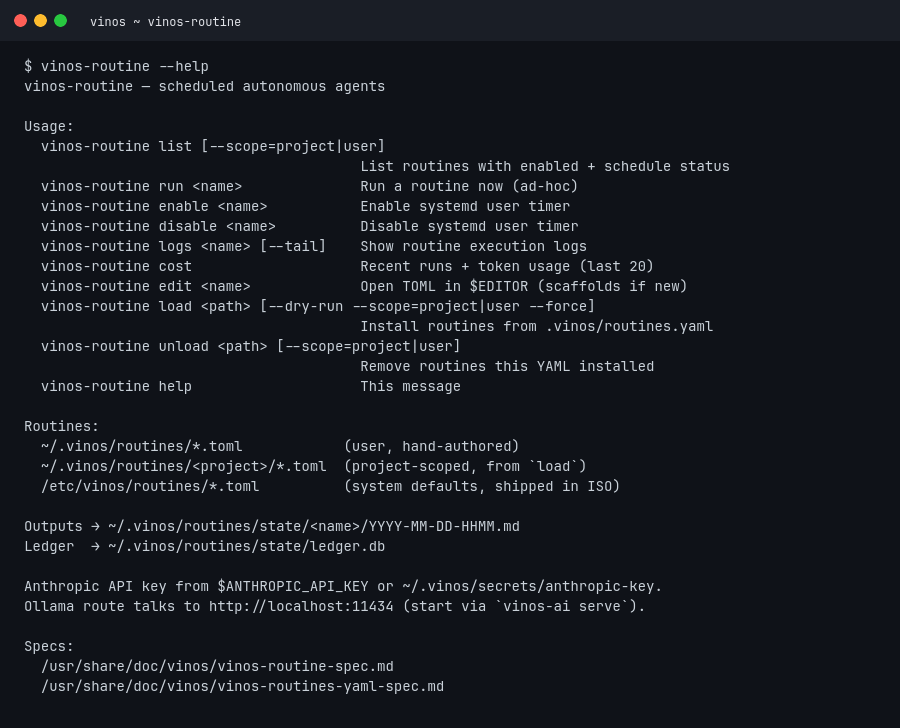
vinos-routine — scheduled autonomous agents

Usage:
  vinos-routine list [--scope=project|user]
                                        List routines with enabled + schedule status
  vinos-routine run <name>              Run a routine now (ad-hoc)
  vinos-routine enable <name>           Enable systemd user timer
  vinos-routine disable <name>          Disable systemd user timer
  vinos-routine logs <name> [--tail]    Show routine execution logs
  vinos-routine cost                    Recent runs + token usage (last 20)
  vinos-routine edit <name>             Open TOML in $EDITOR (scaffolds if new)
  vinos-routine load <path> [--dry-run --scope=project|user --force]
                                        Install routines from .vinos/routines.yaml
  vinos-routine unload <path> [--scope=project|user]
                                        Remove routines this YAML installed
  vinos-routine help                    This message

Routines:
  ~/.vinos/routines/*.toml            (user, hand-authored)
  ~/.vinos/routines/<project>/*.toml  (project-scoped, from `load`)
  /etc/vinos/routines/*.toml          (system defaults, shipped in ISO)

Outputs → ~/.vinos/routines/state/<name>/YYYY-MM-DD-HHMM.md
Ledger  → ~/.vinos/routines/state/ledger.db
System
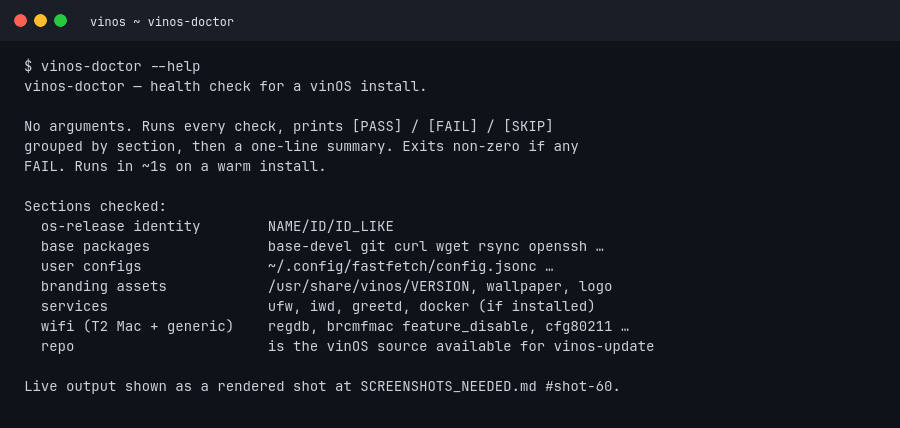
vinos-doctor
Sections checked, in order:
- os-release identity —
NAME=vinOS,ID=vinos,ID_LIKE=arch - base packages —
base-devel,git,curl,wget,rsync,openssh,ufw,fastfetch,btop,unzip,man-db,bash-completion - user configs —
~/.config/fastfetch/config.jsonc - branding assets —
/usr/share/vinos/VERSION,wallpaper.png,logo/vinos.svg, PNG derivatives,/usr/local/bin/vinos-*core - services —
ufw - wifi (T2 Mac + generic) — regdb, iwd Country, systemd-networkd, brcmfmac feature_disable, T2 initramfs modules, cfg80211 cmdline, BCM firmware symlink, iwd active
- repo — is the vinOS source checkout available for
vinos-update?
Exits non-zero if any FAIL. Prints a per-section summary at the end:
summary: PASS=27 FAIL=0 SKIP=2.
vinos-first-run
Runs on first login via hyprland exec-once. Idempotent; safe to rerun.
vinos-welcome
Interactive first-boot picker. See first-boot customization.
vinos-menu
vinos-menu — walker/dmenu-style entrypoint for vinOS user actions.
Sections:
  Install <bundle>   — run vinos-install-<bundle> in a foot terminal
  Wi-Fi              — vinos-launch-wifi (impala)
  Update             — vinos-update
  Diagnostics        — vinos-doctor in a floating terminal
  Lock               — hyprlock
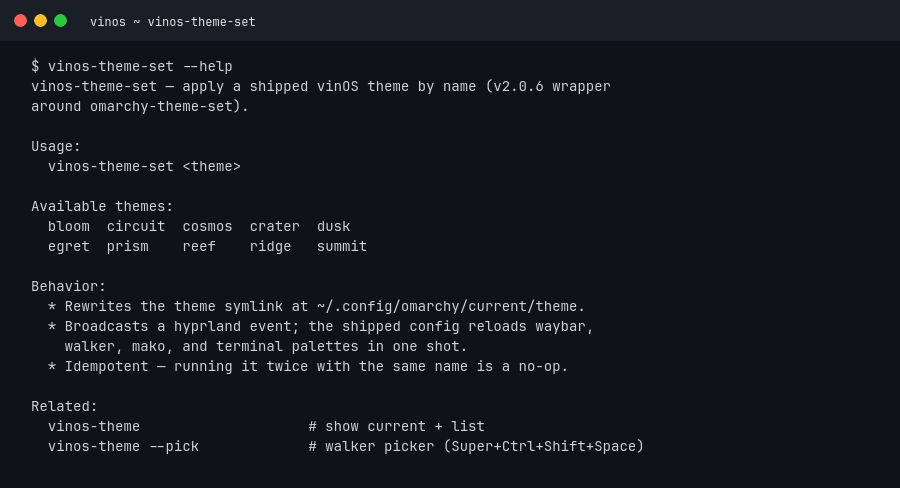
vinos-theme
vinos-theme — list / apply / show current vinOS theme.

  vinos-theme                # print current + list available
  vinos-theme <name>         # switch (updates symlink, reloads Hyprland)
  vinos-theme --pick         # walker-dmenu picker (or gum/fzf/stdin)

A theme lives at /usr/share/vinos/themes/<name>/ with:
  theme.conf        (colors + metadata — key=value)
  wallpaper.png     (background)
vinos-theme-set is a thin v2.0.6 passthrough to omarchy-theme-set
for callers that want a stable vinOS-prefixed name.
vinos-cheatsheet
Parses ~/.config/hypr/hyprland.conf live and pretty-prints the
keybinding table in a floating foot window. --print dumps to stdout
for scripts.
vinos-transcode
Usage:
  vinos transcode [--path path] [input] [format] [resolution]

Formats:
  Pictures: jpg, png
  Videos: mp4, gif

Resolutions:
  Pictures: high, medium, low
  Videos: 4k, 1080p, 720p
vinos-update
Wraps pacman -Syu + paru -Syu + a vinos-doctor pass.
vinos-version
Prints one line: the current version (2.0.5).
Hardware
Each of these prints one line — safe to $() into scripts:
vinos-ac-present               true/false
vinos-battery-present          true/false
vinos-battery-capacity         Wh, integer
vinos-battery-remaining-time   "1h 42m" or similar
vinos-battery-status           formatted waybar line
vinos-brightness-display       accepts +N% / N% / off / on
vinos-brightness-keyboard      cycles laptop keyboard backlight
vinos-audio-input-mute         toggles mic mute, drives LED
vinos-audio-output-switch      cycles PipeWire sinks
vinos-hw-report                markdown report suitable for issues
vinos-hw-hints                 detects quirks, fires one-shot notifications
vinos-hw-touchpad              print detected hyprland touchpad name
vinos-hw-external-monitors     true if any external monitor connected
vinos-cmd-present <cmd>...     true if every named binary is on PATH
vinos-powerprofiles-init       set profile from current AC state
vinos-powerprofiles-set <lvl>  power-saver | balanced | performance
Launch helpers
vinos-launch-wifi              impala TUI in floating foot
vinos-launch-bluetooth         bluetui in floating foot
vinos-launch-audio             wiremix in floating foot
vinos-launch-browser           default browser via xdg-settings
vinos-launch-editor <path>     $EDITOR (fallback nvim)
vinos-launch-tui <cmd>         run a TUI in the default terminal
vinos-launch-walker            start walker + its Elephant data provider
vinos-launch-webapp <url>      open URL as a web app
Capture
vinos-capture-screenshot          region → annotate → clipboard
vinos-capture-text-extraction     OCR region → clipboard
Menu primitives
vinos-menu-select              pick one line from stdin
vinos-menu-file                pick a file
vinos-menu-keybindings         interactive keybindings search
Install bundles
Each prints its own summary — idempotent, re-runnable.
vinos-install-ai               ollama, aichat, claude-code, CUDA if NVIDIA
vinos-install-browser          chromium + firefox/brave alternates
vinos-install-comms            signal, slack, zoom, discord
vinos-install-common           shared helpers sourced by other bundles
vinos-install-dev              postgres, docker, jdk, rust, go, mise
vinos-install-disk             archinstall wrapper for from-ISO install
vinos-install-gaming           steam, lutris, gamemode, mangohud
vinos-install-media            mpv, kdenlive, obs, imv, pinta, spotify
vinos-install-office           libreoffice, thunderbird
vinos-install-once             first-boot exec-once wrapper
vinos-install-productivity     obsidian, notion, typora, 1password
Hyprland integration
vinos-hyprland-monitor-focused                       print focused monitor name
vinos-hyprland-monitor-focused-apple                 apple-display-aware variant
vinos-hyprland-monitor-internal                      print internal display name
vinos-hyprland-monitor-internal-mirror               mirror internal → any external
vinos-hyprland-monitor-scaling-cycle                 cycle scaling factor
vinos-hyprland-monitor-watch                         react to monitor hotplug events
vinos-hyprland-toggle / -enabled / -disabled         permanent-flag toggle pipeline
vinos-hyprland-window-close-all                      close every window on workspace
vinos-hyprland-window-gaps-toggle                    toggle gaps
vinos-hyprland-window-pop                            pop focused into temporary float
vinos-hyprland-window-single-square-aspect-toggle    square aspect for pinned utility
vinos-hyprland-window-transparency-toggle            toggle transparency
vinos-hyprland-workspace-layout-toggle               cycle dwindle ↔ master
Notifications + reminders
vinos-notification-send <glyph> <headline> [body]   fire a mako notification
vinos-reminder <min> [msg] | show | clear           lightweight reminder scheduler
vinos-restart-waybar                                 restart waybar after config edit
vinos-sudo-keepalive                                 keep sudo credential alive for long installers
Full script sources live at github.com/vinpatel/vinos/tree/main/bin. If any description here drifts from a script’s top comment, the script wins — please file an issue and we’ll fix the page.