
Switching themes
vinos-theme, the walker picker, and the keybinding. What actually gets swapped when you flip themes.
The command
$ vinos-theme --help
vinos-theme — list / apply / show current vinOS theme.

  vinos-theme                # print current + list available
  vinos-theme <name>         # switch (updates symlink, reloads Hyprland)
  vinos-theme --pick         # walker-dmenu picker (or gum/fzf/stdin)

A theme lives at /usr/share/vinos/themes/<name>/ with:
  theme.conf        (colors + metadata — key=value)
  wallpaper.png     (background)
Everyday flow
Show what’s on now and what else is available:
$ vinos-theme
current: cosmos

available:
  bloom      circuit    cosmos*    crater     dusk
  egret      prism      reef       ridge      summit
Switch by name:
$ vinos-theme summit
✓ switched to summit
  wallpaper → /usr/share/vinos/themes/summit/wallpaper.png
  reloading hyprland...
  done.
Or open the picker:
$ vinos-theme --pick
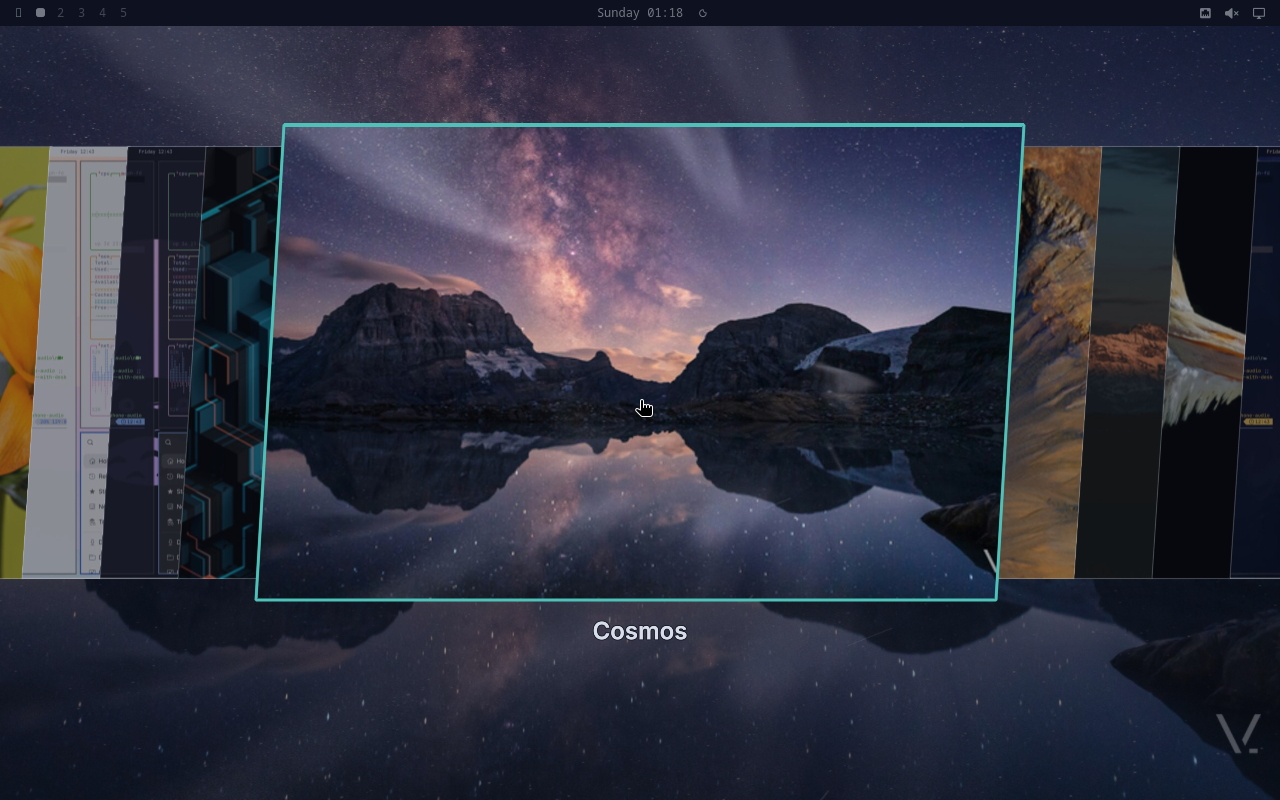
The default keybinding is Super+Shift+Ctrl+Space (inherited from Omarchy’s theme menu). See keybindings for the full map.
What gets swapped
Every theme dir under /usr/share/vinos/themes/<name>/ contains a full
Omarchy-schema set of files. When you switch, the runtime atomically:
- Rewrites
/usr/share/vinos/wallpaper.pngsymlink → new theme’swallpaper.png(which itself points at the branded 4K JPEG). - Writes
~/.config/vinos/active-themeso future logins pick it up. - Signals swaybg to kill + re-exec via
hyprctl(no-op on headless). - Broadcasts a hyprland event; the shipped hyprland config listens and reloads borders, waybar colors, mako palette, walker theme, and every configured terminal palette in one shot.
Per-monitor wallpapers
Multi-monitor setups get the same wallpaper on every screen by default.
If you want per-monitor variety, set a monitor-scoped override in
~/.config/vinos/wallpapers.toml:
[[monitors]]
name     = "DP-1"
theme    = "cosmos"

[[monitors]]
name     = "eDP-1"
theme    = "summit"
The switch then applies the top-level vinos-theme <name> to the
default monitor and leaves overrides intact.
What doesn’t change
- Font choice — that’s set once in
~/.config/vinos/fonts.toml. - Keybindings — Hyprland config is theme-agnostic.
- Waybar layout — themes only recolor; module order and content stay.
If you need those to change, edit the specific config directly. Themes are strictly a look-and-feel layer.
Next: the 10 shipped themes.