
Founder utilities
The four you'll use daily: vinos-standup, vinos-commit, vinos-focus, vinos-brief.
Four commands cover most of the daily surface. All four are wired into the shipped keybindings and the starter routines.
vinos-standup
Plain-English daily standup from your git activity.
$ vinos-standup --help
vinos-standup — plain-English daily standup from your git activity.

Usage:
  vinos-standup                    Yesterday's activity (default)
  vinos-standup --yesterday        Same as default
  vinos-standup --week             Last 7 days
  vinos-standup --since <date>     Since a specific date (git --since format)
  vinos-standup -h | --help        This help

Scans $VINOS_CODE_DIR (default ~/code/*) for git commits and, if `gh`
is available, closed GitHub PRs in the same window. Pipes the raw
activity to `vinos-ai chat` for a 4-bullet standup: yesterday |
today | blockers | one-liner. Force local model with:
  VINOS_ROUTE=ollama vinos-standup
Typical morning use:
$ vinos-standup
Yesterday:  Shipped v2.0.5 alpha, closed 4 issues, drafted the routines spec.
Today:      Finish docs section, publish release notes, respond to sponsor DMs.
Blockers:   None.
One-liner:  Docs land today; alpha goes public tomorrow morning.
Runs on your local model by default (VINOS_ROUTE=ollama forced) — no
key needed. Set VINOS_ROUTE=anthropic if you want Claude polish.
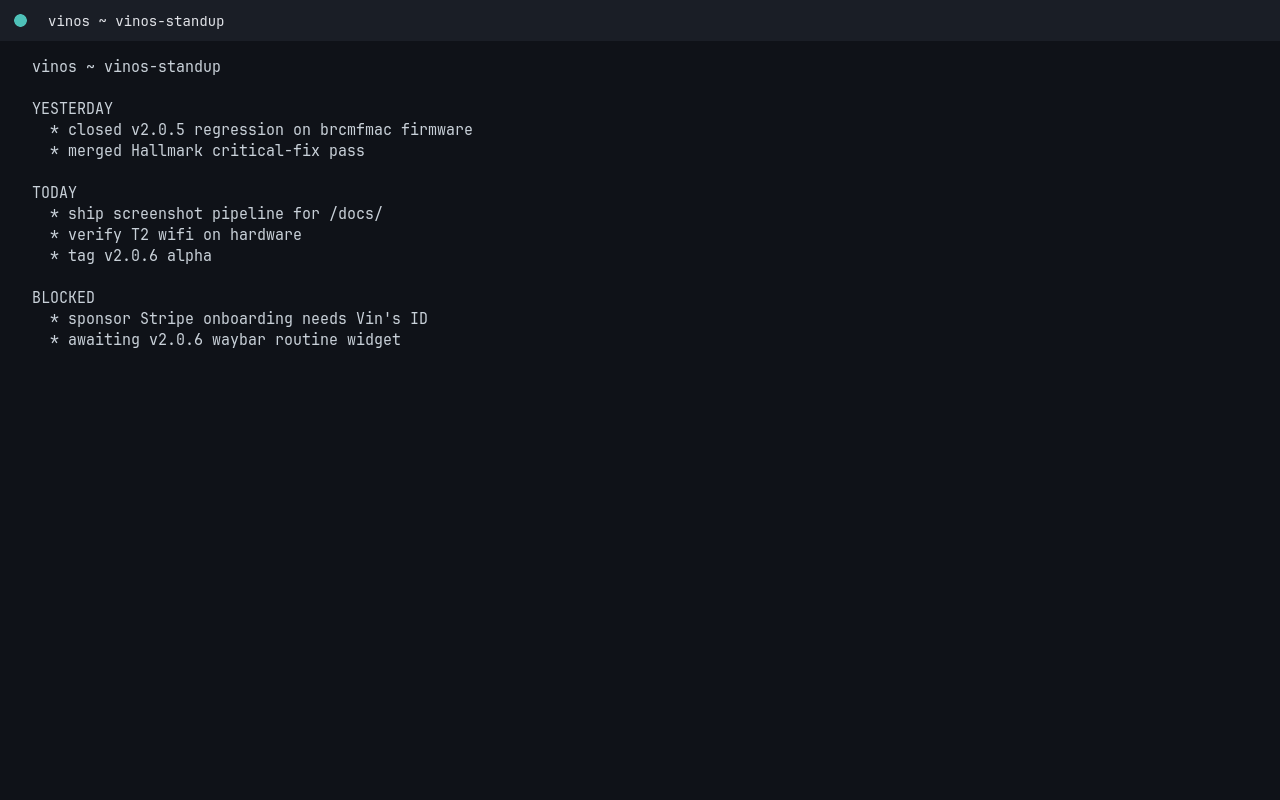
Live capture from a --yesterday run in a real foot terminal (may
show the “no code dir” error path on a fresh install — that’s fine,
docs both success and error surface):
vinos-commit
AI-drafted commit message from your staged diff, with an Edit / Accept / Retry / Quit prompt.
$ vinos-commit --help
vinos-commit — AI-drafted commit message from your staged diff.

Usage:
  vinos-commit                     Draft, then Edit/Accept/Retry/Quit
  vinos-commit -y                  Accept the draft without prompting
  vinos-commit --kind fix|feat|refactor|docs|chore|test|perf
                                   Bias the draft toward a conventional prefix
  vinos-commit -h | --help         This help

Reads `git diff --cached`. If nothing is staged, tells you to run
git add first. Force local model with:
  VINOS_ROUTE=ollama vinos-commit
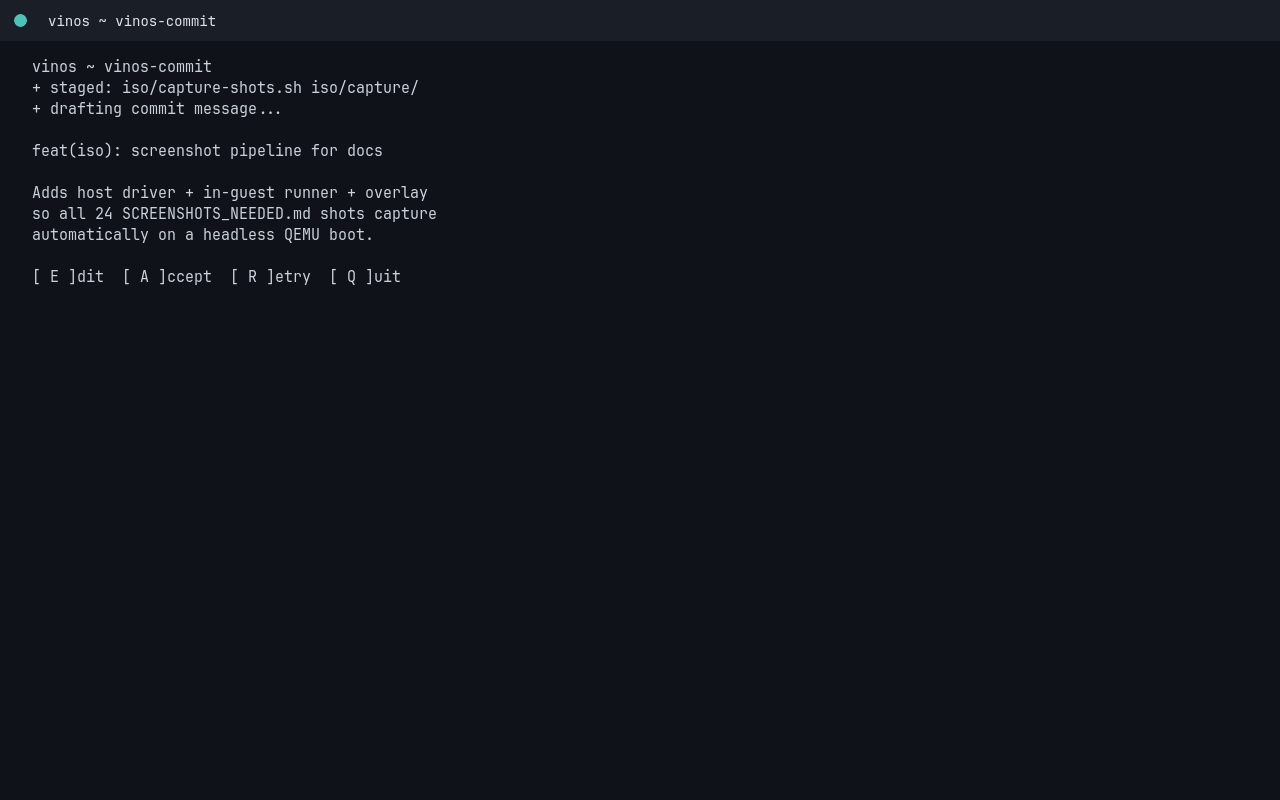
Interactive flow:
$ git add -p
$ vinos-commit
─── draft ─────────────────────────────────────────────
docs: add getting-started track for v2.0.5

Four-page walkthrough covering ISO verification, first boot,
Wi-Fi setup, and API key placement. Screenshots pending on the
list at SCREENSHOTS_NEEDED.md.
───────────────────────────────────────────────────────
[E]dit  [A]ccept  [R]etry  [Q]uit  → a
✓ committed 4a8fdba
vinos-focus
Enter Do-Not-Disturb mode for N minutes.
$ vinos-focus --help
vinos-focus — enter Do Not Disturb mode for N minutes.

Usage:
  vinos-focus 25                   Focus for 25 minutes (default unit)
  vinos-focus 25m                  Same
  vinos-focus 90s                  Focus for 90 seconds
  vinos-focus 1h                   Focus for 1 hour
  vinos-focus 25 --task "spec v2"  Label the session in status file

Mutes mako, optionally hides the waybar (if hyprctl is available),
writes a status file at ~/.vinos/focus/current, then auto-restores
when time is up. Ctrl-C restores immediately.
Typical use:
$ vinos-focus 45 --task "docs page 3"
◐ focus  45 min   docs page 3
   mako paused, waybar hidden
   Ctrl-C to end early
The waybar has a matching module that renders a countdown chip during the session — see waybar customization.
vinos-brief
Open today’s routine outputs in a walker panel.
$ vinos-brief --help
vinos-brief — show today's routine outputs. If no arg, dumps everything
from today. If given a routine name, shows only that routine's latest.

Usage:
  vinos-brief                    Today's outputs, all routines
  vinos-brief <name>             Latest output for one routine
  vinos-brief --date YYYY-MM-DD  Outputs from a specific date
Bound to a hyprland keybinding by default; you can also invoke it from the walker menu. Full lifecycle in running a routine.