
System utilities
vinos-doctor, vinos-first-run, vinos-menu, vinos-welcome, vinos-install-* — health checks, onboarding, and installers.
vinos-doctor
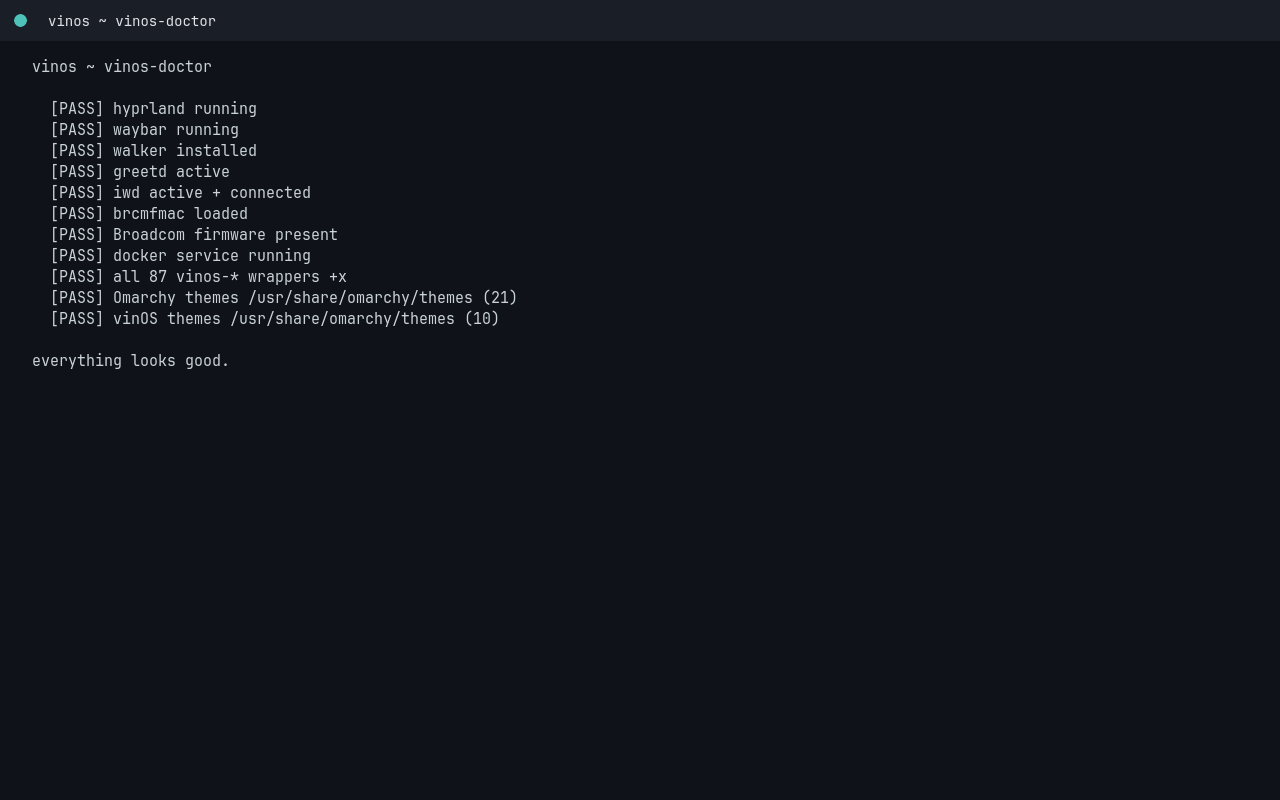
Health check. Prints PASS / FAIL / SKIP per check; non-zero exit if anything fails. Bound to Super+Ctrl+S.
Sections:
- os-release identity — is this actually vinOS?
- base packages — the ~15 utilities we assume everywhere.
- user configs — did the shipped configs land in
~/.config? - branding assets — the wallpaper, mark, VERSION file present?
- services — ufw, iwd, ollama.service (if AI installed).
- wifi (T2 Mac + generic) — regdb, iwd, cfg80211, brcmfmac firmware.
- repo — is a checkout of vinOS available for
vinos-update?
Real output on a running container (some FAILs because it’s not a proper install):
$ vinos-doctor
os-release identity
  FAIL NAME!="vinOS" in /etc/os-release
  FAIL ID!=vinos
  FAIL ID_LIKE!=arch

base packages
  PASS base-devel
  PASS git
  PASS curl
  FAIL missing pkg: wget
  PASS rsync
  PASS openssh
  PASS ufw

wifi (T2 Mac + generic)
  SKIP no wireless hardware detected (wired-only host / container)
  SKIP rfkill: no wifi entry
  PASS iwd active
  SKIP apple-bcm-firmware not installed (non-T2 hardware — fine)

summary: PASS=14 FAIL=11 SKIP=4
vinos-first-run
Runs on first login (autostarted by hyprland exec-once). Finishes
the install items that can only happen after your first login:
starting user services, seeding config caches, running
vinos-powerprofiles-init against your live AC/battery state.
Rerun any time to bring a stale install back to a fresh-first-boot state:
$ vinos-first-run
Idempotent — safe to re-run.
vinos-welcome
The friendly walker-dmenu picker that autoruns on first login. Rerun at any time:
$ vinos-welcome
Choices are:
- Connect Wi-Fi
- Pick a theme
- Install bundle: ai / dev / media / office / gaming / productivity / comms / browser
- Set Anthropic key
- Enable a starter routine
vinos-menu
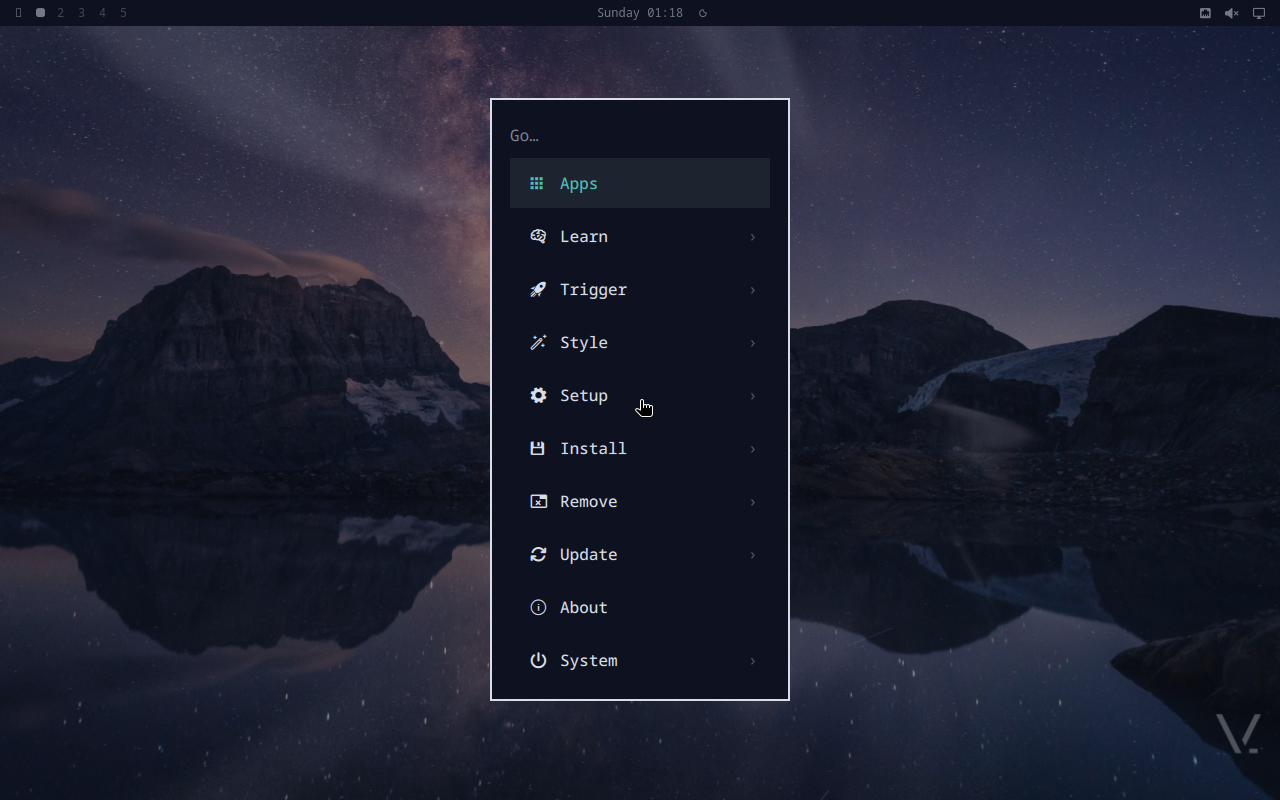
Walker-dmenu system hub. Bound to Super+Ctrl+O.
$ vinos-menu
Entries include every vinos-install-* bundle, wifi controls,
bluetooth pairing, audio mixer, vinos-update, theme switcher,
diagnostics, and lock.
vinos-install-* bundles
Opt-in package sets. Each is idempotent — safe to re-run.
| Bundle | Ships |
|---|---|
vinos-install-ai | Ollama, llama.cpp, huggingface-cli, python-{openai,anthropic,torch}, aichat, open-webui, CUDA (on NVIDIA) |
vinos-install-browser | Chromium (base), Firefox, Brave alternates |
vinos-install-comms | Signal, Slack, Zoom, Discord |
vinos-install-dev | Postgres, Docker, JDK, Rust, Go, mise |
vinos-install-disk | One-command from-ISO installer wrapping archinstall |
vinos-install-gaming | Steam, Lutris, gamemode, mangohud, protontricks |
vinos-install-media | mpv, kdenlive, obs-studio, imv, pinta, gpu-screen-recorder, Spotify |
vinos-install-office | LibreOffice, Thunderbird |
vinos-install-productivity | Obsidian, Notion, Typora, 1Password |
All safe to run interactively:
$ vinos-install-ai
[vinos-install-ai] adding pacman packages: ollama aichat open-webui python-anthropic python-openai
[vinos-install-ai] pulling default model: llama3.2 (~2 GB)
[vinos-install-ai] starting user service: ollama.service
[vinos-install-ai] done. try: vinos-ai chat "hello"
vinos-update
Wraps pacman -Syu + paru -Syu (if installed) + a vinos-doctor
pass so you know immediately if the update broke anything.
$ vinos-update
[vinos-update] pacman -Syu
[vinos-update] paru -Syu
[vinos-update] pulling latest vinOS overlay
[vinos-update] running vinos-doctor
summary: PASS=27 FAIL=0 SKIP=2